With remote working and team collaboration now commonplace, employees demand anytime, anywhere access to their work files. When the workplace lacks these tools, employees take productivity into their own hands using their personal mobile devices and free or low cost consumer grade productivity apps to get stuff done. What they may not know is that these devices and consumer grade solutions typically lack the rigid security requirements that businesses demand and therefore are unintentionally introducing risk into the workplace. In order to minimize risk and maintain a secure environment, you need to standardize and develop use policies around data access. A good place to start is to standardize on your file sync and share solution. Let us help you make that transition easily and securely.
Read More
The Department of Homeland Security has issued an alert for Windows Server 2003 (TA14-310A). Microsoft is ending support for the Windows 2003 Operating System on July 14, 2015. After this time you will no longer receive security patch updates to protect against viruses, malware and other security threats. There will also no longer be any software updates or technical support available from Microsoft after this time.
Read More
Is my UPS a Generator? This might sound like a crazy question, and we're not talking about the delivery service with the brown trucks, we're talking about an Uninterruptible Power Supply (UPS). With last weekend's severe thunder storms in the area (and winter on the way), it's a good time to think about Power Management.
Read More
Tags:
Power management,
UPS,
Surge protector
Security is the top technology concern among small business owners, and the flood of information about new security threats can seem overwhelming at times. Just about every week we see a new headline about a new threat or breach.
Read More
Tags:
Microsoft Security Patches,
Patch Policy,
Compliance
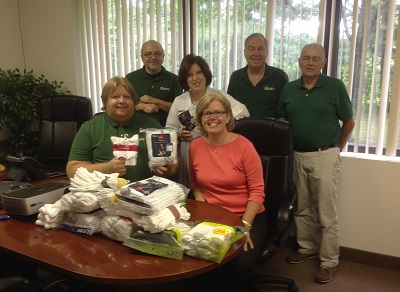
Thank you! Thanks to everyone who sent in a customer survey card back in June! As promised, in appreciation for getting cards back, we donated a big box of socks to Boston Healthcare for the Homeless: 122 pairs of socks were donated!
Read More
Tags:
customer survey,
Sock Drive,
BHCHP
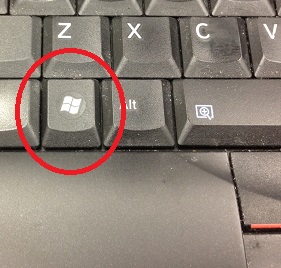
Quick Tip: During a busy work day you may find your computer desktop cluttered with many open browser tabs and applications. Need to quickly get to your uncluttered desktop? Remember the Windows shortcut: Windows Key + D. Hit the Windows Key and then the "D" key and your desktop will appear.
Read More
Tags:
Windows Shortcut,
Desktop
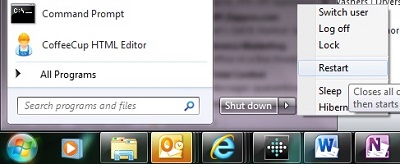
Every day we review security patch compliance for all our clients with managed services coverage with us. Often, we see systems with security patches pending reboots. Many security patches require a reboot to install, and some security patches are sequential, so the next one won't install before the previous patch is complete. This can result in a system that isn't fully protected.
Read More
Tags:
Reboot,
security patches
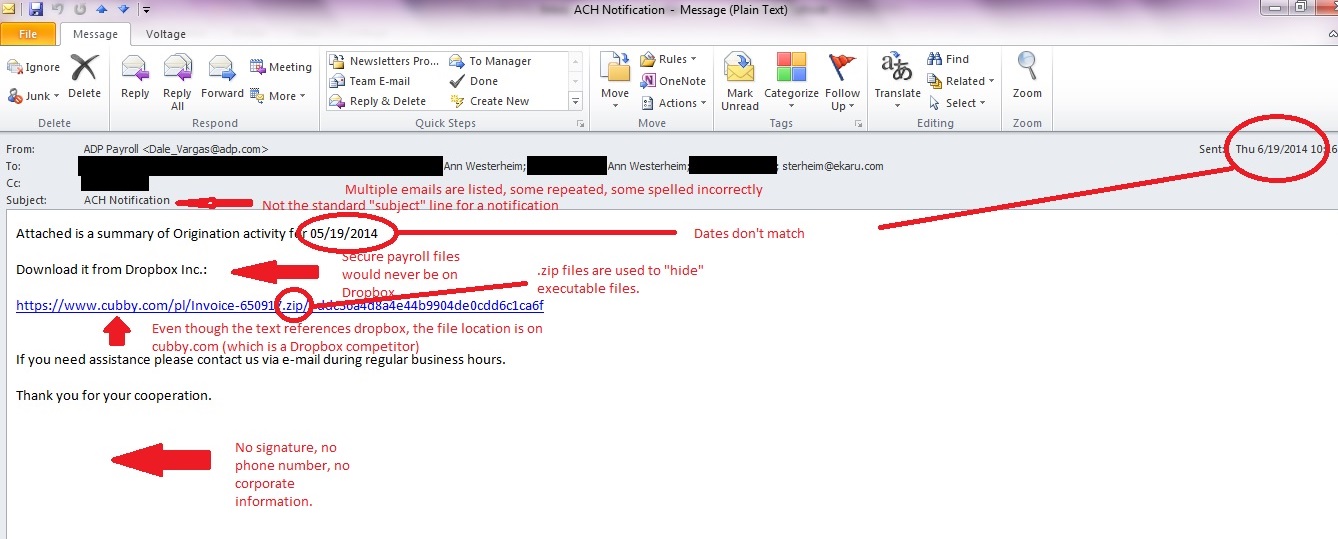
In our last post, we talked about suspicious emails that don't look so suspicious on the surface. Here is an example of an email to show you what to look for. In this case, a fake payroll report is being sent. A busy, distracted person may open this by mistake, or an opportunistic employee may try to open it to sneak a peek at confidential information. SLOW DOWN and check your mail carefully. Even with up to date antivirus protection and spam filtering, some emails CAN get through because they are engineered to get through. This can be a phishing email (trying to get confidential information) or a dangerous virus such as Cryptocker. Don't open the door!
Read More
Tags:
Virus,
eMail,
cryptolocker,
spam
We've all heard that we shouldn't open suspicious emails. They can be phishing scams (attempts to get personal information such as username, password, and account number), or contain viruses. The problem is, the "bad guys" know we're on the lookout, and the real danger lies in emails that are disguised to not look suspicious.
Read More
Tags:
Virus,
eMail,
cryptolocker
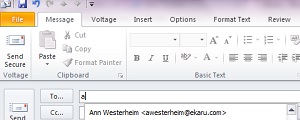
Outlook has a time saving "autocomplete" feature that's a big help most of the time, but can sometimes cause issues. When you compose a new email message in Outlook, as you start to type in the first few letters of the recipient's email address, you'll see that Outlook will have suggestions for you based on who you have emailed before. This is a great time saver, and over time your list will grow. An important thing to know, is that it's not actually your address book, it's a cached list of anyone you have emailed in the past.
Read More
Tags:
Outlook,
autocomplete,
nickname,
.nk2
.png)