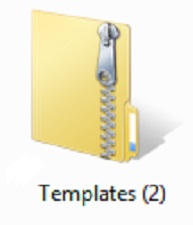
If you need to send an email to someone with a large file or perhaps with many smaller files, you can compress the files to save space and also save the hassle of attaching several files one by one by selecting a compressed folder. The process is easy, and it doesn't require any extra software since the function is built right into Windows. Simply find the file or folder you want to compress, right click on the file or folder and select Send To and then click Compressed (zipped) Folder. The new file folder has a zipper on it to show its "zipped", and you can rename it to anything you want.
Read More
Tags:
eMail,
Compress,
Extract
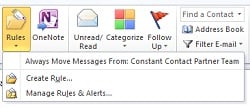
If your inbox is getting out of control with too many messages, it's time to start creating some "rules" to organize your mail.
Read More
Tags:
eMail,
Microsoft Outlook 2010,
Rules
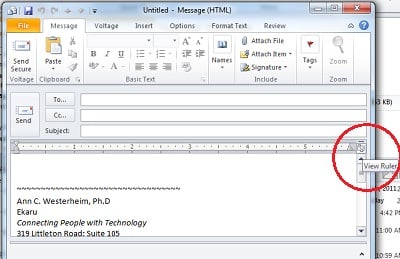
I was composing a new email and noticed the ruler across the top. While the ruler is useful in some cases for advanced formatting (aligning text and images), it was a nuisance for me and I started searching the tool bar for how to get rid of it. I must have toggled it "on" by accident, and now it was stuck there.
Read More
Tags:
eMail,
Microsoft Outlook 2010,
ruler
This sounds like a funny question because who would ever send themself a spam email? What you really received is a "spoofed" message. It's actually easy to alter an email to change the "from" address to make it appear that it's coming from someone else. Basically a forgery. (This is one of the reasons that if you use a spam filter, you shouldn't necessarily safe list your own address.)
Tags:
eMail,
spam,
DNS,
SPF record
A customer contacted us a few days ago with an email dilemma. They had been receiving a valued daily report through email, and all of a sudden they stopped receiving it and found that it was in their spam filter and wondered why.
Tags:
small business,
eMail,
spam
Have you ever had an important email go missing? An important customer order that just doesn't arrive in your inbox? Well, the the first place to look is your spam filter. There's a good chance that the email may have gotten flagged as a "false positive" for spam. If you check your spam filter, you'll find the message. As long as you only need to look in one place, it's a quick detour.
Tags:
Outlook,
eMail,
spam
In this short video we go through simple instructions for creating or editing a signature in Microsoft Outlook 2010. Small Business owners can create a professional looking email, with links to social media accounts:
Create an eMail Signature in Microsoft Outlook 2010.
Tags:
Outlook 2010,
small business,
eMail,
Signature
.png)