March is the anniversary of the Massachusetts Data Security Law which went into effect March 1, 2010: 201 CMR 17.00: Standards for The Protection of Personal Information of Residents of the Commonwealth. The anniversary is a good time to refresh your team about the requirements!
Read More
Tags:
MA Data Security Law,
201 CMR 17.00,
Security Requirements
One of the things we strongly advise our clients to get on board with is proactive monitoring of all their systems with our managed services. With this service, we monitor all systems for a long list of parameters including Antivirus software updates, Security Patch updates, system performance and when capable, S.M.A.R.T monitoring of hard drives.
Read More
Tags:
hard drive,
S.M.A.R.T,
Monitoring,
Managed Services
One of the services we provide to our clients is spam filtering. The goal is to stop the spam BEFORE it gets to the mail server so it doesn't wind up on the users' desktop, laptop, iPad, smart phone, etc.... Each month when we do the reporting and roll up the numbers, it's amazing how much volume there is. Overall, around 80% of all email traffic is flagged as spam. For some of our clients, this means blocking out tens of thousands of messages a month. I looked at our own domain yesterday, and in February, over 10,000 messages were blocked or quarantined, including 348 emails containing viruses.
Read More
Tags:
eMail,
spam filtering,
email security,
spam
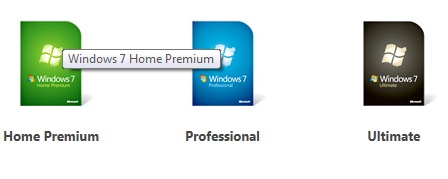
A few years ago, Microsoft made the operating system upgrade process a LOT easier by introducing the "Anytime Upgrade" process. Windows Anytime Upgrade lets you compare features, select the upgrade, and the entire process only takes as little as 10 minutes. Here is a link from Microsoft with a very short video that describes the process.
Read More
Tags:
Windows 7,
Windows Anytime Upgrade
Have you ever hit the wrong * command on your phone and wondered what you did? I recently added a new FiOS phone line at home, and saw that the new way to check for voicemail from a home phone is to dial *86 (*VM). I wondered if that would work on our "regular" line, so I tried it and all I heard was "you have canceled...". Not able to clearly hear the whole message, I was very worried at first that I had canceled my voicemail and looked up the codes on line. At first I had a little trouble figuring out what they are called, and then I found they are called "Star Codes". They are also called "Calling Features". In case you're ever in the same situation, here is a quick snapshot for reference:
Read More
Tags:
Verizon,
FiOs,
Voicemail
Did Santa bring you a new Kindle Fire, iPad Mini, or Microsoft Surface for Christmas? If so, probably one of the first things you wanted to do was connect to your home wireless network. To connect, you'll be asked for a "key", which is a code that lets you in (and keeps others out). The common dilemma is that users have set up a wireless network a LONG time ago, recorded the key, and stored it in a "safe place", only to be stumped when you look for it again. The problem is that after you program the key into your laptop or other portable devices, your system "remembers" it, so you end up forgetting.
Read More
Tags:
Security,
Encryption,
Wireless Network,
Key
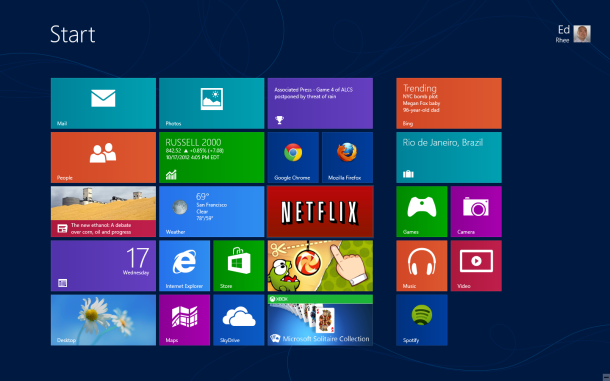
If you're a superuser on Windows 7, you may feel a bit lost on Windows 8. Bob has enthusiastically been using Windows 8 for a few weeks now, and he recommends getting re-familiarized with the good 'ol keyboard shortcuts. These are the standard shortcuts that work across all Microsoft Windows platforms, such as Ctrl+P to print, etc.
Read More
Tags:
Microsoft,
Keyboard Shortcuts,
Windows 8
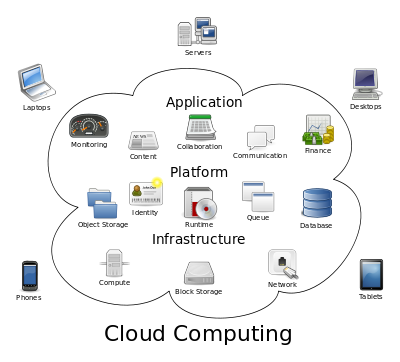
It's the latest buzz word in technology - the "cloud". Many of our clients are asking about the cloud, so we want to take some of the mystery out of it. The definition from Wikipedia sums is up simply: "Cloud computing is the use of computing resources (hardware and software) that are delivered as a service over a network (typically the Internet)". The name comes from the cloud diagram that is typically used in network diagrams to symbolize the Internet.
Read More
Tags:
Internet,
Cloud computing,
cloud
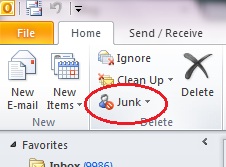
Whenever there's a mystery regarding a "missing" email, the first thing we look at is if the email is sitting in a spam filter. We always recommend just using one spam filter, preferably "in the cloud" so mail is filtered BEFORE it gets to your mail server, and distributed to your laptop, smartphone, iPad, and wherever else you read your mail.
Read More
Tags:
Outlook,
eMail,
spam,
Junk,
Filter
In the first few weeks of using a spam filter, we know it's an inconvenience to have to approve senders when it would be obvious to anyone but a computer that it's mail that you want, but you'll be grateful to have the spam filter when you see all the clutter gone from your mailbox. Note that what appears in your quarantine is only the borderline spam content and that the rest of it is blocked in a "black hole". On average, across all the clients we actively manage, around 80% of all incoming mail is blocked or quarantined as spam!
Read More
Tags:
eMail,
spam filtering,
postini,
approve sender
.png)