.png)
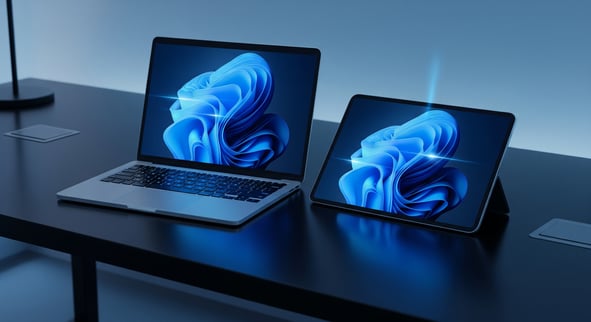 Last month, we discussed Windows 11 Updates that assisted individuals in increasing their overall security posture, productivity workflow, and expressive various widgets for user experience. As we are a quarter of the way through the year, a new and impactful wave of updates is approaching for those using Windows 11 systems.
In April, we can expect Windows 11 patch Tuesday updates (likely build 26200.8116, KB5079391) to arrive as scheduled within the second Tuesday of the month for various updates, along with some intentional changes to the taskbar functions, audio upgrades, customized usage of AI for users, and control over windows updates.
At Ekaru, we specialize in Microsoft knowledge and reinforcing security guidelines within the greater Boston and surrounding New England counties. Our goals is to provide businesses and individuals alike with up-to-date cybersecurity news, trends, Windows updates and more! The best advantage for a business is educational awareness and staying ahead of cybersecurity trends.
Task Bar Location Customization
After years of feedback, Microsoft is very much practicing social listening to improve user experience quality for all. The upcoming updates focus less on radical redesigns and more on refining the everyday experience: Improving performance, restoring user control, and thoughtfully integrating AI where it actually adds value.
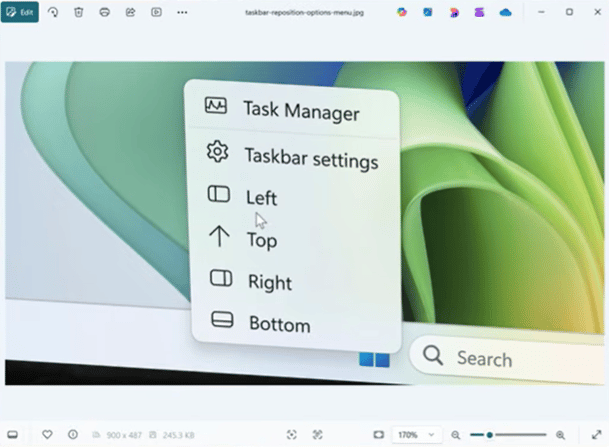
One of the most anticipated changes is the return of taskbar customization. When Windows 11 first launched, it removed several legacy features, including the ability to reposition the taskbar, a change that frustrated many users as they had to outlet 3rd party sources to mimic the original functions. Thankfully, that is now being reversed!
Users will soon be able to:
- Move the taskbar to the top, left, right, or bottom of the screen
- Resize the taskbar for a more compact or expanded view
- Use a redesigned context menu to quickly dock and adjust positioning
This update restores a level of familiarity and flexibility that many users relied on for productivity workflows, now eliminating the need for third-party tools with everyone in one place.
A More Thoughtful Approach to AI (Copilot)
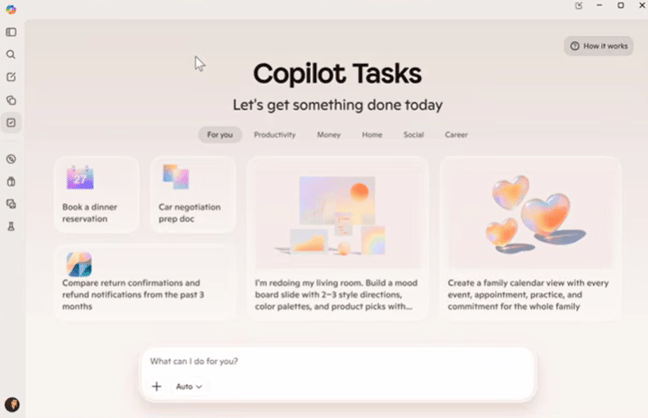
Rather than aggressively embedding AI into every corner of the OS that seems to be a common trend, Microsoft is shifting toward a value-first approach with Copilot.
For those that may not know, a Value-First Approach in the context of Windows 11 refers to the design and development. Emphasizing on delivering users productivity, user-centric experiences, rather than offering a collection of new features. This is intended to create a more modern, secure, and user friendly operating system that accommodates for various working conditions a user may find themselves in.
Some changes include:
- AI features will be introduced only where they provide clear benefits
- Reduced pressure for users to engage with AI tools if they prefer not to based on their values or personal preferences.
- A stronger focus on practical use cases, rather than feeling mandatory to try out due to freshness
This marks an important evolution, moving away from “AI everywhere” to AI where it makes sense so human touch is still present.
Greater Control Over Windows Updates
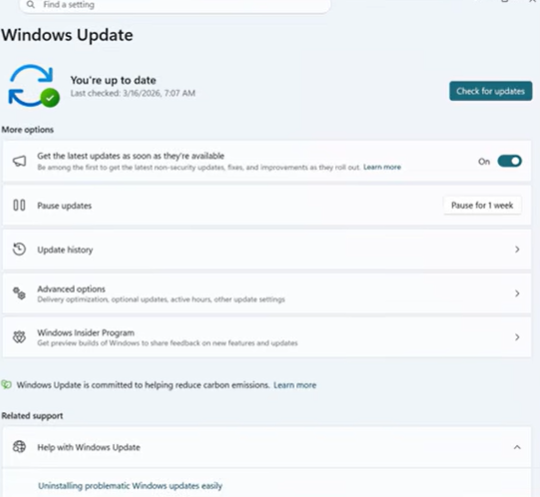
Have you noticed when moving over to Windows 11 the updates are quite frequent? You are not alone, and understandably, they interrupt workflows or force restarts at the beginning or in the middle of a busy work day. While Patch Tuesdays will always occur on the second Tuesday of the month, and other various roll out updates. You now have more control where you prefer to update to utilize productivity as much as possible.
The April 2026 updates aim to fix include:
- Ability to skip updates during initial setup to come back at a later point when you have the proper downtime.
- More flexible options to delay or schedule updates. On your terms.
- Reduced forced restarts and interruptions
- Smarter update timing based on usage patterns
This change directly addresses productivity concerns and puts users back in control of their systems.
File Explorer Gets a Performance Boost: Speed, Stability, and Efficiency
File Explorer is one of the most frequently used tools in Windows, and it's getting a significant upgrade in speed and reliability.
Some improvements include:
- Faster search results and navigation
- Quicker context menu response times
- Improved performance when copying or moving large files
- Faster launch times and overall responsiveness
These updates enhance everyday efficiency, especially for users handling large datasets or complex file structures. To which these improvements have a direct, measurable impact on:
- Less time waiting for files to load
- Improved efficiency when handling large datasets
- A smoother overall experience in daily tasks
For businesses dealing with large volumes of data, these changes can significantly improve operational efficiency.
Widgets: Less Noise, More Personalization
Widgets are being refined to reduce distractions and improve usability.
What’s changing:
- Quieter default settings with fewer intrusive updates
- Better personalization options
- A shift away from engagement-driven design toward user-controlled experiences
This aligns with a broader theme across Windows 11: less noise, more intention.
The 2026 Roadmap: Performance, Reliability, and Craft
Looking beyond April, Microsoft is focusing on three core pillars throughout 2026:
1. Performance
- Faster application launch times
- Improved memory efficiency for better multitasking
- Consistent performance across long sessions without slowdowns
Users can run more applications simultaneously without sacrificing responsiveness.
2. Reliability
- Fewer system crashes and improved driver quality
- More stable Bluetooth, USB, printer, camera, and audio connections
- Enhancements to the Windows Insider Program for clearer feedback and expectations
- Easier switching between Insider channels
3. Craft (User Experience & Design)
- Greater personalization across the OS
- Reduced distractions during setup and daily use
- Improved taskbar usability and workflow integration
- More thoughtful and optional AI integration
- A consistent emphasis on choice and control
Why These Updates Matter
These changes aren’t just incremental, they reflect a philosophical shift.
For users, this means:
- More control over how your system behaves
- Fewer interruptions during critical work
- Faster performance in everyday tasks
- A cleaner, more focused user experience
For businesses, it translates to:
- Increased employee productivity
- Reduced downtime from updates and crashes
- Better long-term system stability
How Ekaru Helps Your Business Stay Ahead
Keeping up with Windows updates can be time-consuming, and risky if not managed properly. That’s where your local and reliable Managed Service Provider (MSP), the Ekaru team comes in.
Our team specializes in Windows Updates such as:
- Plan and manage updates to avoid disruptions in your day to day workflow
- Ensure compatibility across your systems and applications
- Monitor performance and proactively resolve issues
- Provide guidance on new features and best practices for teams to ensure they understand all update functions
- Maintain security and compliance without sacrificing productivity
Instead of reacting to changes, we help you stay ahead of them.

Bottom Line
The April 2026 Windows 11 updates signal a clear direction: users come first.
With improved customization, smarter update controls, better performance, and a more restrained approach to AI, Microsoft is addressing long-standing concerns while setting a stronger foundation for the future.
Don’t let updates slow you down. Let us handle the complexity so you can focus on what matters most.
Contact us today to learn how our services can streamline your Windows 11 experience, improve performance, and keep your business running smoothly!