.png)
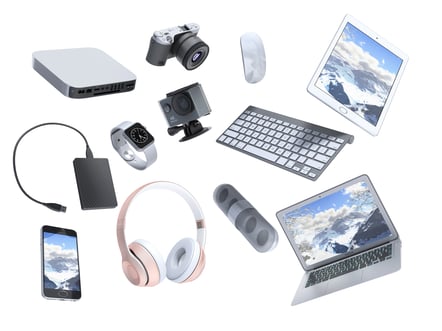 Spring is just around the corner! You know what that means? It’s time for your annual spring cleaning for clothing, around the house cleaning, and anything that no longer serves you. Today, we will be focusing on spring cleaning: Technology edition.
Whether you work within a large or small business, technology is frequently evolving, requiring many to update devices to handle refined daily workflow applications. You may have a closet dedicated to old monitors and various devices, all just collecting dust, unsure how to properly dispose of them. In this blog, we will go over tips and tricks on how to clean up your technology space, either within your computer or your physical surroundings. At Ekaru, we cultivate within our community, we serve local small and medium-sized business located in the greater Boston area and surrounding Massachusetts counties with their cybersecurity and IT needs.
Safely Discard Your Digital Footprint
Like textiles, there are different approaches to methods for discarding items that don’t affect the environment, or cause a hazard in its disposal methods. But did you know, if you do not properly dispose technology, your sensitive information could be at high risk falling into the hands of a hacker who can still extract ‘deleted’ files? You may believe you cleared your laptop, but if the memory drive is still present when thrown away, hackers can recover information regarding your digital history, photos, videos, documents, passwords and more from anywhere. When disposing of technology, it’s best to go with professionals that handle electronics, not daily trash, as hackers view this as an easy way to obtain unsuspecting victims’ information.
For businesses, the consequences are even more serious. Improper disposal of company devices doesn’t just risk a single person’s database can expose entire systems, customer databases, and proprietary information. Many major data breaches have occurred not through sophisticated hacking, but through simple negligence like discarded hardware.
Risks Businesses Face From Improper e-waste Handling:
- Data breaches involving customer or employee information
- Legal penalties for violating data protection laws (such as HIPAA, GDPR, etc.)
- Loss of intellectual property or trade secrets
- Reputational damage and loss of customer trust
- Financial losses from lawsuits, fines, and incident response
- Potential exposure of internal systems, making future cyberattacks easier
The good news is that these risks are entirely preventable with the right approach. Whether you’re an individual or a business, secure disposal practices can eliminate the chances of your data falling into the wrong hands.

Clearing Out Your Digital Space
Overtime, you may have accumulated screenshots, photos, videos, and various unused apps that have taken up space within your storage. One of the best feelings is finally finding the time to go through a handful of screenshots on your laptop or camera roll (if they’re not already connected to one another) clearing up that space for even more memories.
Tips To Clear Your Digital Space:
-
Go through a handful of photos at a time. Ask yourself; 'Have I accomplished what I wanted to within this screenshot?’ If yes, delete away! If not, hang on to it for a later point.
-
For photos, check if you have multiple duplicates of one specific photo and delete the ones you do not need if they’re similar.
-
Apps. If you have no memory of opening the app within the last several months and or it is a game that distracts you, it’s better to delete the app. Allowing you to clear up some additional space in your phone/desktop’s digital storage.
-
Back up important files to your cloud service of choosing
Security should be a central part of your spring-cleaning process. Old accounts, saved passwords, and outdated software can all become entry points for hackers. Tightening your digital security ensures that your information stays protected even as you clean things out
Security-Focused Cleanup Steps:
-
Update your operating system and all apps to the latest versions. Ideal for no security gaps that older updates may have accumulated
-
Change passwords for important accounts and use a password manager for better security hygiene
-
Enable two-factor authentication (2FA) wherever possible for additional layers of security
-
Log out of devices you no longer use or recognize
-
Review account permissions for apps connected to services like email or social media
-
Sign out or delete old online accounts you no longer use
When it comes to physically cleaning out old electronics, the stakes are even higher. Simply deleting files or doing a quick reset isn’t enough, data can often be recovered if it’s not properly erased. Before donating, recycling, or discarding any device, you need to ensure your personal information is completely wiped.

How Ekaru Can Help Discard Your Electronics Safely
At Ekaru, we aim to support our community through assisting local businesses and individuals alike in ensuring you are protected against hackers and sophisticated social engineering attacks hard to identify at first glance. This also includes an event specifically catered to recycling electronics. Collaborating with a local electronics disposal company, e-waste Solutions. Where we take any of your old electronics and dispose of them properly for you so you have peace of mind. Hard drives are shredded to ensure no data is ever recovered from them!
Items We Take - Personal Or Business:
-
Laptops
-
Cell Phones
- Printers
-
iPads
-
Tablets
-
Monitors
-
Old CD players
-
Speakers
-
Landlines/telephones
-
Security tools
-
TVs
-
And more!
For additional security measures, we also take SD cards or other various memory cards and have those discarded for additional peace of mind. That way, you don’t run the risk of hackers obtaining any information if they were to use recovery tools.
Bottom Line
Spring cleaning your electronics is about more than just freeing up storage or getting rid of old devices, it’s about taking control of your digital footprint and protecting your information from unnecessary risk. Every file you delete, account you secure, and device you properly dispose of reduces the chances of your data falling into the wrong hands. Whether you’re clearing space on your phone or responsibly retiring outdated hardware, these small actions add up to stronger privacy, better performance, and greater peace of mind.
Ekaru's most anticipated and quarterly electronics recycling event is coming up! On Tuesday April 21st from 10:30am to noon we will have eWaste Solutions truck at our office and gladly discard all electronics securely. Can't make it to drop off your electronics? You can stop by our office before the event! Dropping off your devices at our office beforehand is strongly encouraged.
If you're looing to increase your businesses cybersecurity needs, or even clear out closets filled with electronics this spring, let's connect!